The real problem with CMT tracking is scattered information.
Orders sit in an Excel file, status updates in WhatsApp groups, and a delay is often noticed only when the customer calls. Calling each workshop one by one takes hours every day, and the list is still always one step behind.
Üretimo brings all of this into a single list. You assign the order to a workshop, the workshop moves the stage forward from a phone, and you see the current status from the office or your own phone.
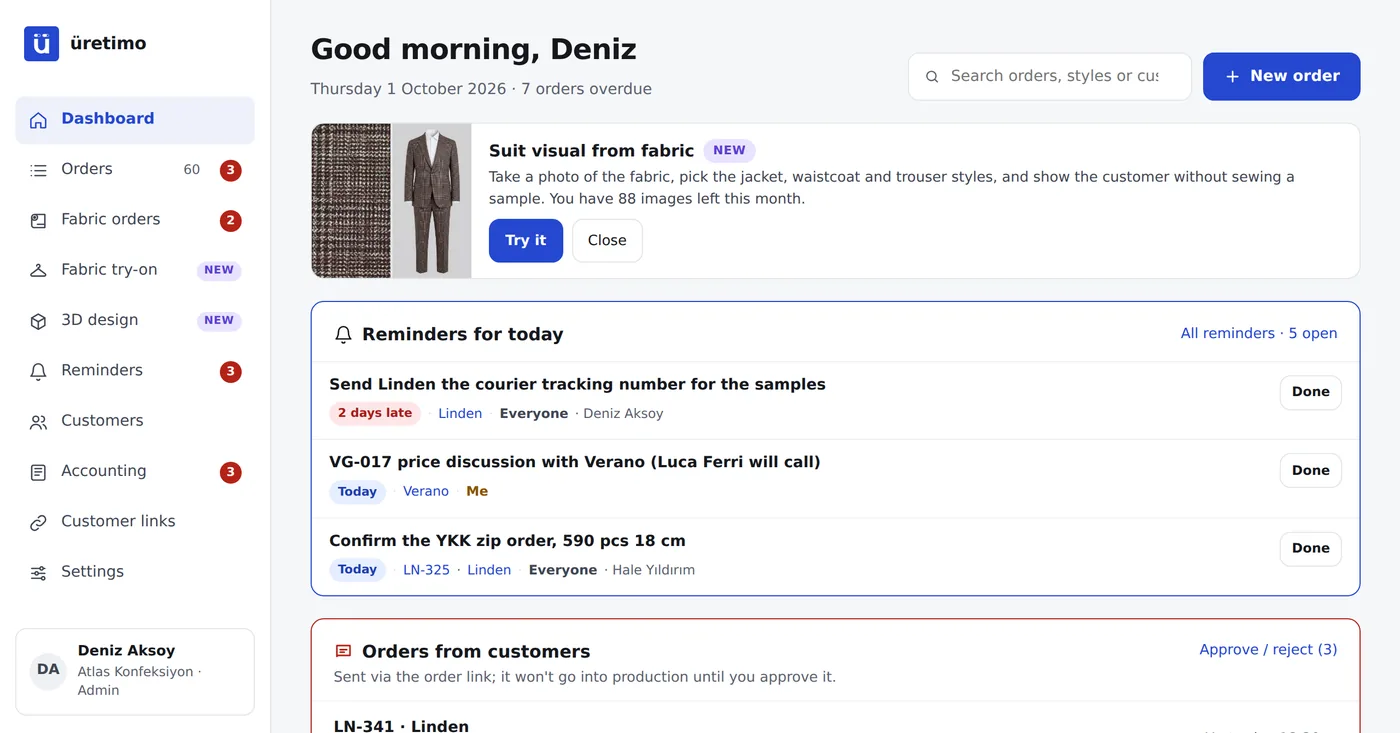
The first screen you check in the morning: late orders at the top.
- Active, late and due-soon orders, plus those shipping this week, at a glance.
- The Needs attention list shows every delay, how many days late it is and which workshop it is at.
- Breakdown by stage: how many jobs are at a workshop, in sewing or in quality check.
- Recent activity: who updated which order, and when.
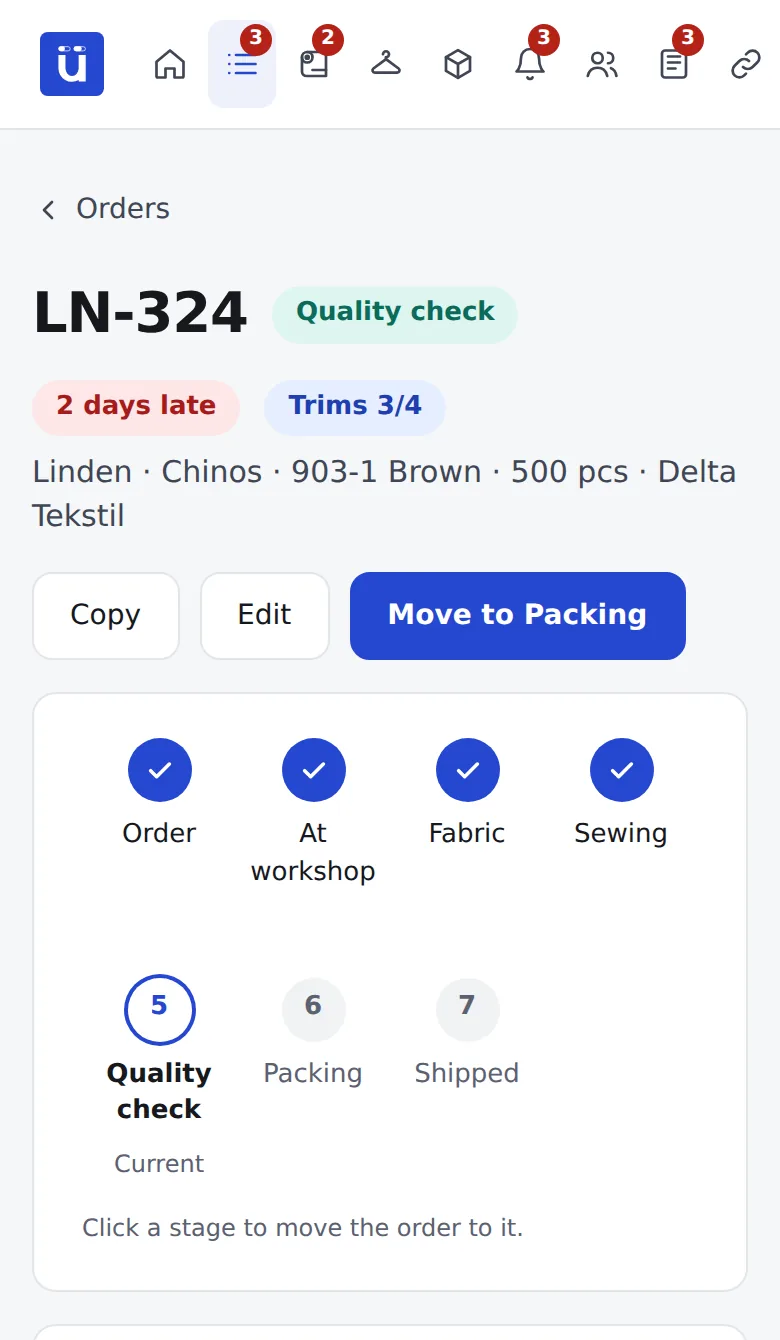
Workshops update from their phones; you see it in the office.
- A workshop user sees only their own orders; prices and customer details are hidden from them.
- One tap moves the stage forward, and they can add notes and photos; every change is logged with name and time.
- No app to install; it can be added to the phone’s home screen.
- Workshop users are free on every plan, with no limit.
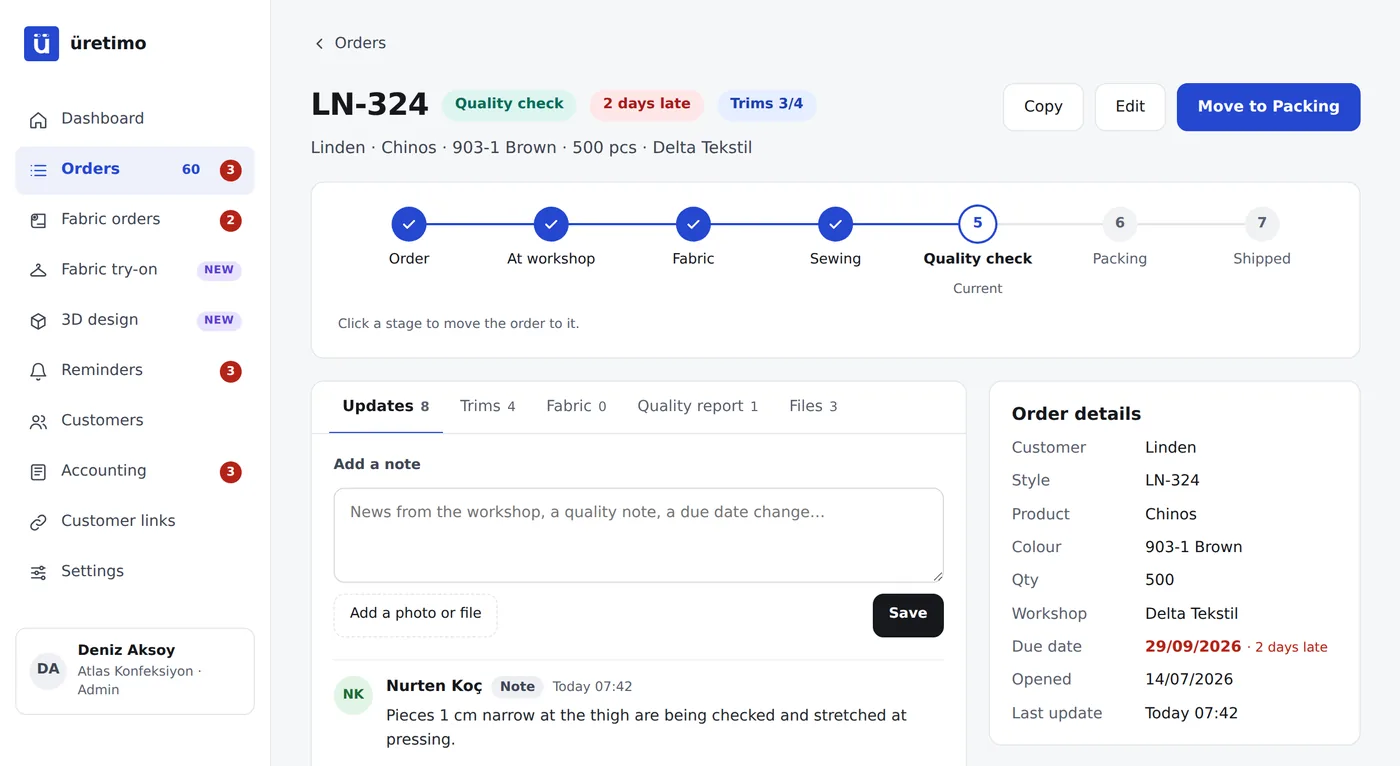
Every order has a recorded history. No more arguments.
Stage changes, notes, quality reports and photos build up under the order with name and time. Instead of “I told you so”, there is a record.
- Quality reports with photos: which size, what defect, how many pieces.
- Trims tracking: have the zips, buttons and labels arrived, or is something missing?
- CMT price and workshop payables: enter the CMT unit price on the order, then track payables and payments per workshop on the accounting screen.
Switch to CMT tracking in three steps.
Import your list
Upload your existing Excel list; the style, customer, workshop, due date and stage columns are recognised automatically.
Invite your workshops
Create a user for each workshop; they see only their own jobs and update them from their phones.
Check the morning screen
Late and due-soon orders are at the top every morning. Fewer phone calls.
Frequently asked questions
Do I pay extra for workshops?
No. Users with the Workshop role are free and unlimited on every plan; your plan only counts office users.
Does the workshop need to install an app?
No. It opens in the phone’s browser from the invitation link; with one tap it can be added to the home screen and used like an app.
Can a workshop see other workshops’ jobs or prices?
No. A workshop user sees only the orders assigned to them; the selling price, CMT price, customer details and other workshops are hidden from them.
What if a workshop does not want to use the system?
The office moves the stage forward instead; you still have a single list. Most companies start with a few workshops, and the others join over time.
How many workshops can I work with?
There is no limit on the number of workshops. Plans differ by the number of active orders and office users; see the pricing page for details.
Can I import my existing Excel list?
Yes. Upload your Excel file or copy and paste from a spreadsheet; columns are recognised automatically and orders open at their current stages.