What is in the template?
Three sheets: Orders (the main list), Workshop summary (active jobs, quantities and late orders per workshop) and How to use. The header row is frozen and every column has a filter.
| Column | What to enter |
|---|---|
| Style | Style or order number (LN-330) |
| Customer | Brand or buyer |
| Product, Colour, Quantity | Chino · Navy · 420 |
| Workshop | The contract workshop or line the order is assigned to |
| Due date | Delivery date, in 24/11/2026 format |
| Stage | From the drop-down list: Order, Fabric, Cutting, At workshop, Sewing, Quality check, Packing, Shipped |
| Unit price, CMT price | Optional; for profit and workshop payable calculations |
| Note | Information from the workshop, customer requests |
| Days left | Automatic: days remaining until the due date; a negative value means late |
- Late rows turn red, and rows with 7 days or less to go turn yellow.
- Rows marked “Shipped” turn grey and are not counted as late.
- The workshop summary fills in automatically with formulas.
How do I use it?
Enter your orders
One row for each style and colour. You can delete the example rows.
Update the stage
As news comes in from the workshop, change the Stage column; days left and colours update automatically.
Check the summary
On the Workshop summary sheet, see how many jobs and delays each workshop has.
Where Excel falls short
- The file is updated by one person; the real status at the workshop reaches them by phone or WhatsApp.
- Who changed what and when is not visible, so decisions are made on old information.
- It is hard to edit on a phone, and nobody at the workshop opens it.
- To send it to a customer, you have to copy and tidy it up every time.
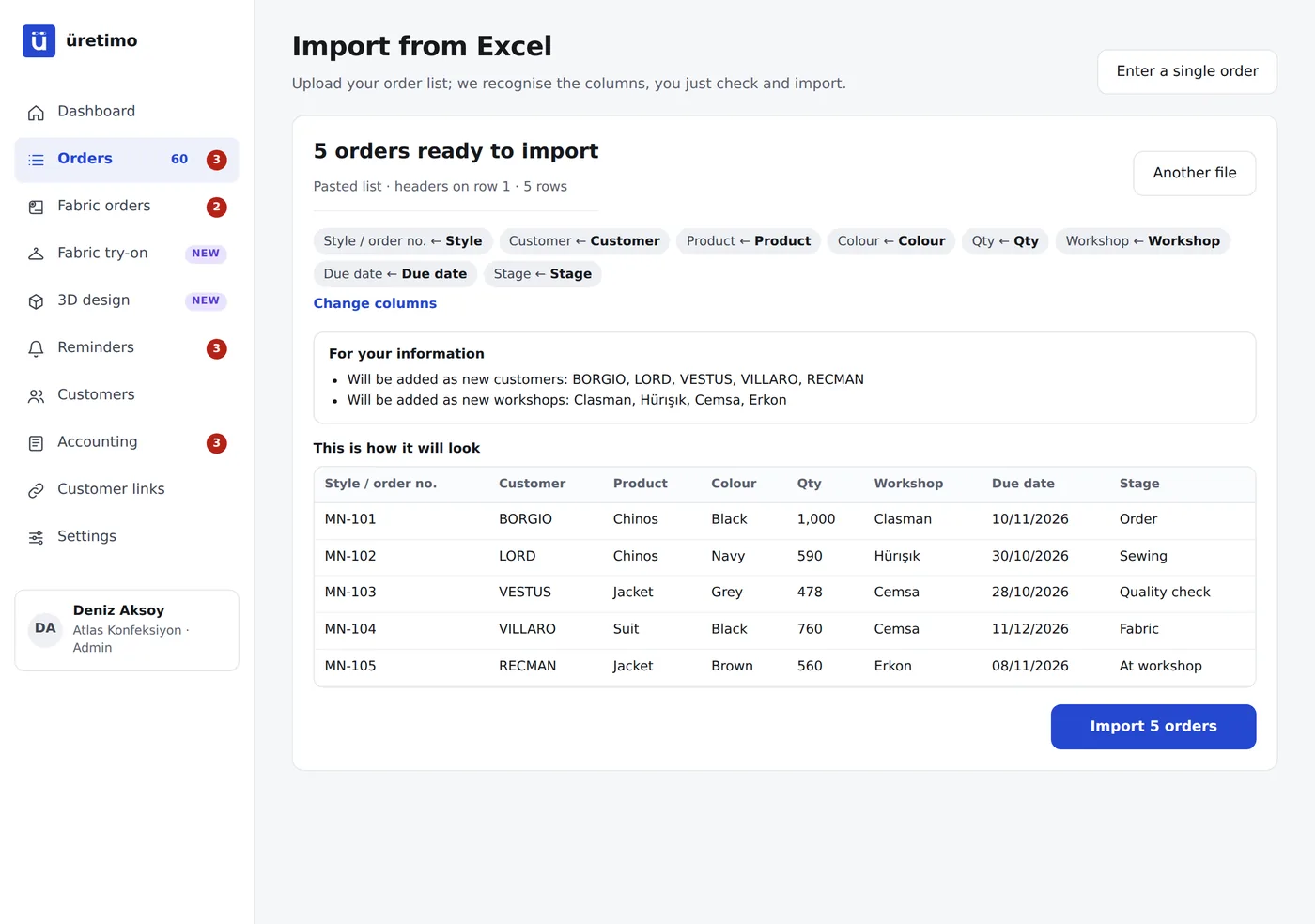
When your list reaches this point, you can upload the same file to Üretimo as it is. Columns are recognised automatically and orders start from the stage they are at; workshops start updating from their phones, and your customer follows along on the tracking link.
Frequently asked questions
Is the template really free?
Yes. Download it without signing up or giving an email address, then change it and use it however you like.
Does it open in Google Sheets?
Yes. Upload it to Google Drive and open it with Google Sheets; the formulas and colours work.
Can I add my own columns?
Yes. You can add columns and rename them. When you import into Üretimo, you match each column on a single screen.
Can I change the stage names?
Yes. The drop-down list in the Stage column is only a suggestion; you can type your own stage name. Rows marked “Shipped” are not counted as late.
Why use software instead of Excel?
Excel is updated by one person, and the real status at the workshop reaches them by phone. In Üretimo, the workshop moves the stage forward itself, who changed what and when is recorded, and you can give your customer a link.