What your customer sees
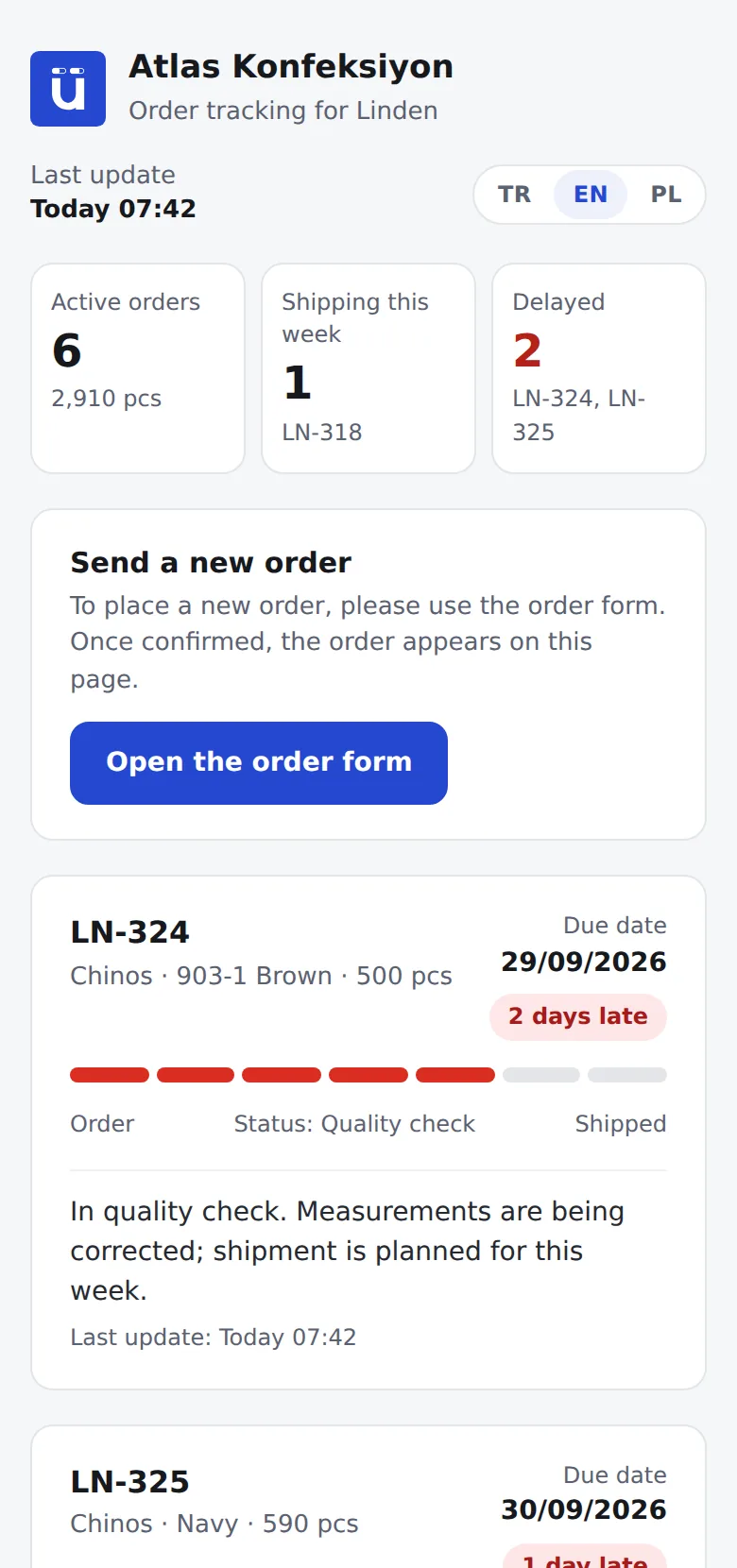
- Active orders, quantities and the current stage; only the stages you have made visible.
- The due date and, if the order is late, the number of days late.
- Your note visible to the customer: “In quality check, shipping this week”.
- The time of the last update; in Turkish, English and Polish.
What they never see
- Selling price, CMT price, cost and profit.
- Workshop names and messages with workshops.
- Internal notes, quality reports and files.
- Other customers’ orders.
You stay fully in control.
- The link is off by default; you turn it on only for the customers you choose.
- One link per customer; new orders are added automatically.
- Turn it off whenever you like and access stops immediately; you can turn it on again later.
- See how many times the link has been opened and when it was last opened.
Fewer “What is the status of my order?” emails.
Buyers in Europe expect a weekly status report, and most companies copy it from Excel and paste it into an email. With a tracking link, your customer checks the current status themselves, and you only write an explanation when it is needed. As stages move forward at the workshop, the status on the link updates automatically.
Frequently asked questions
Does the customer need to create an account?
No. Opening the link is enough; no password or sign-up is required.
What if the link gets into the wrong hands?
The link contains a random code that cannot be guessed, and it shows only that customer’s orders. Turn it off the moment you have any doubt, and turn it on again if needed.
Which stages appear on the link?
The ones you choose. In Settings → Stages, each stage has a “Visible to customer” option; a stage you hide is not shown to the customer separately but is merged with the previous stage. For example, you can hide the Fabric and Packing stages.
Can my customer view it in English or Polish?
Yes. The tracking page is available in Turkish, English and Polish, and the customer can switch language at the top right. For customers in Poland, the page opens in Polish automatically.
How many customers can I create a link for?
1 on the Starter plan, unlimited on the Workshop and Factory plans. Pricing