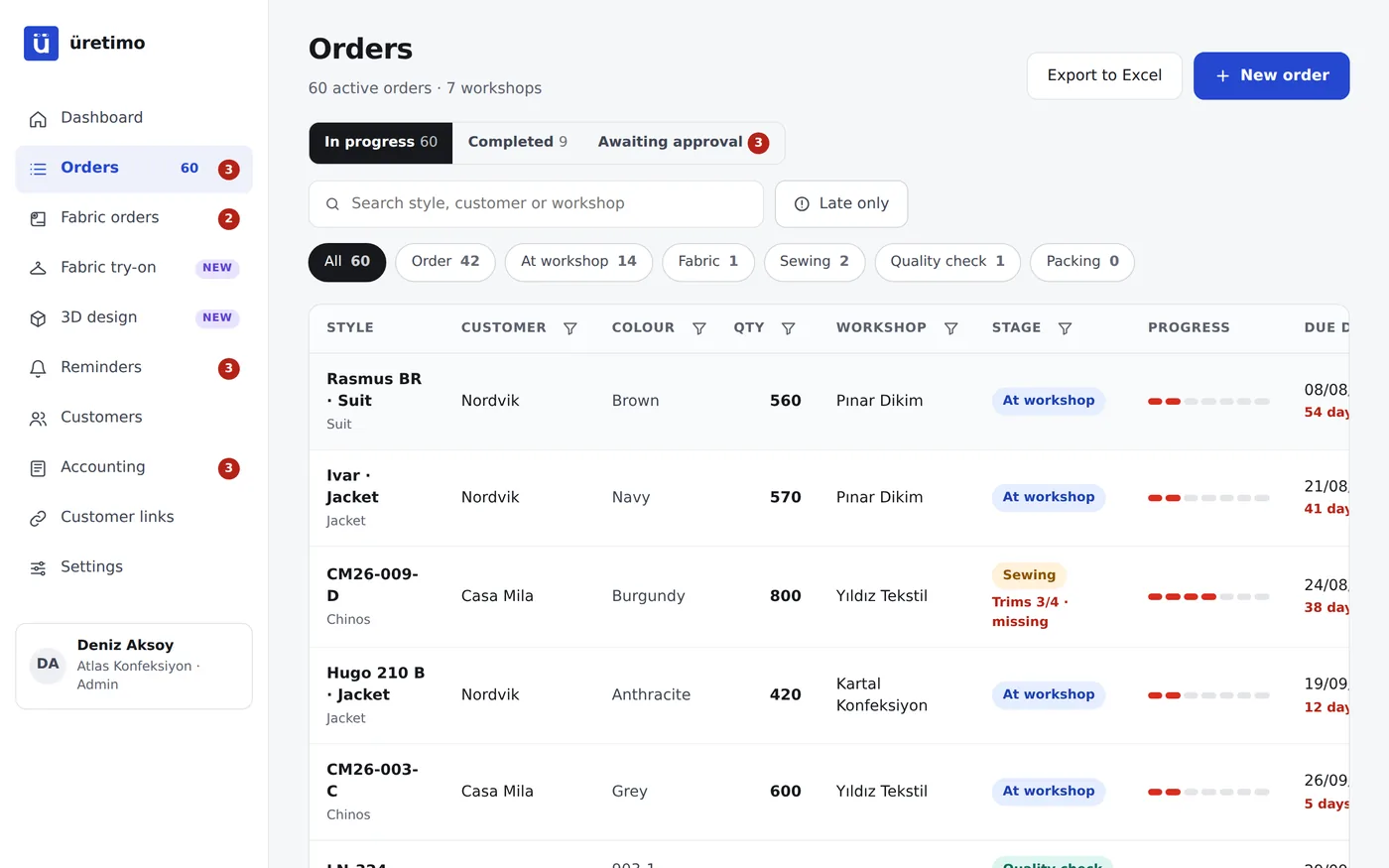
All your orders in one table.
- Customer, style, colour, quantity, workshop, stage and due date on the same row.
- Sort and filter from the column header: by customer, workshop, stage or due date.
- Late orders in red, orders due soon at the front.
- Export to Excel whenever you like; the data is yours.
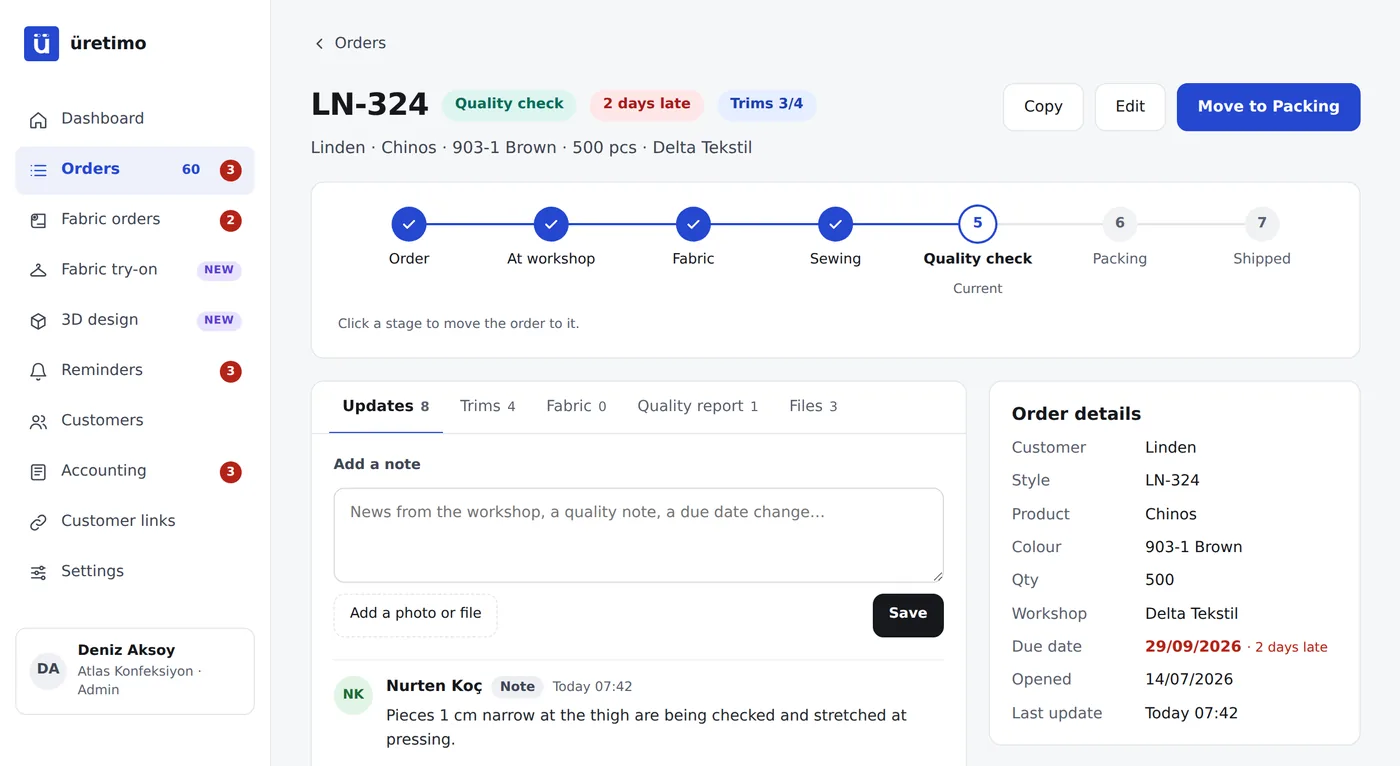
Stages that match your production.
The apparel template comes ready to use: Order, At workshop, Fabric, Sewing, Quality check, Packing, Shipped. Add stages such as cutting, washing, printing or embroidery, and change their order. There are also separate templates for footwear, furniture and metal.
- Every stage change is logged with who made it and when.
- You choose which stages your customer can see.
- Works with contract workshops, your own lines or single-site production.
Quality, trims and files inside the order.
- Quality report: which size, what defect, how many pieces; photos are kept at original quality.
- Trims: zips, buttons, labels, pocketing; arrived or missing, and who the supplier is.
- Files: tech packs, patterns, sample photos; everything on the relevant order.
- Documents: proforma invoices and delivery notes in one click.
Move off Excel in a single afternoon.
Create your account
Choose the apparel template and the stages come ready. Set your production site to contract workshops or your own lines.
Upload your list
Upload your current Excel list as it is. Columns are recognised automatically and orders start from the stage they are at.
Invite your team
Add office, quality and workshop users. Everyone does their own part, and the list keeps itself up to date.
Frequently asked questions
I produce in my own facility and do not use contract workshops. Is it suitable?
Yes. During setup, choose “our own lines” or “single-site production” as your production site; orders are then tracked by line or department.
Can I customise the stages?
Yes. Add, delete and reorder stages, and name them in your own words. You also choose which stages appear on the customer link.
Are photos compressed?
No. Detail matters in quality control, so the original photo is kept; a small preview is also used so the list opens quickly.
Does it work on a phone?
Yes. Every screen works on a phone; you can add it to the phone’s home screen without installing an app.
How many people can use it?
2 office users on the Starter plan, 3 on Workshop and 8 on Factory; workshop users are free on every plan. Extra users can be added.
Where is our data stored?
In the European Union, on servers in Frankfurt. Each company sees only its own data, and you can download the whole list as an Excel file at any time.