Spot late orders before they are late.
Due-soon and late orders are at the top every morning, and an email arrives 7 days before the due date. You notice a delay before it happens, not when the customer calls.
demo needs no sign-up · no setup fee · unlimited users
One screen every morning: what will not make it?
- Late orders with how many days late, oldest first.
- Orders due within 30 days and the earliest due date.
- Orders shipping this week.
- For every delay, the workshop and stage where it is stuck.
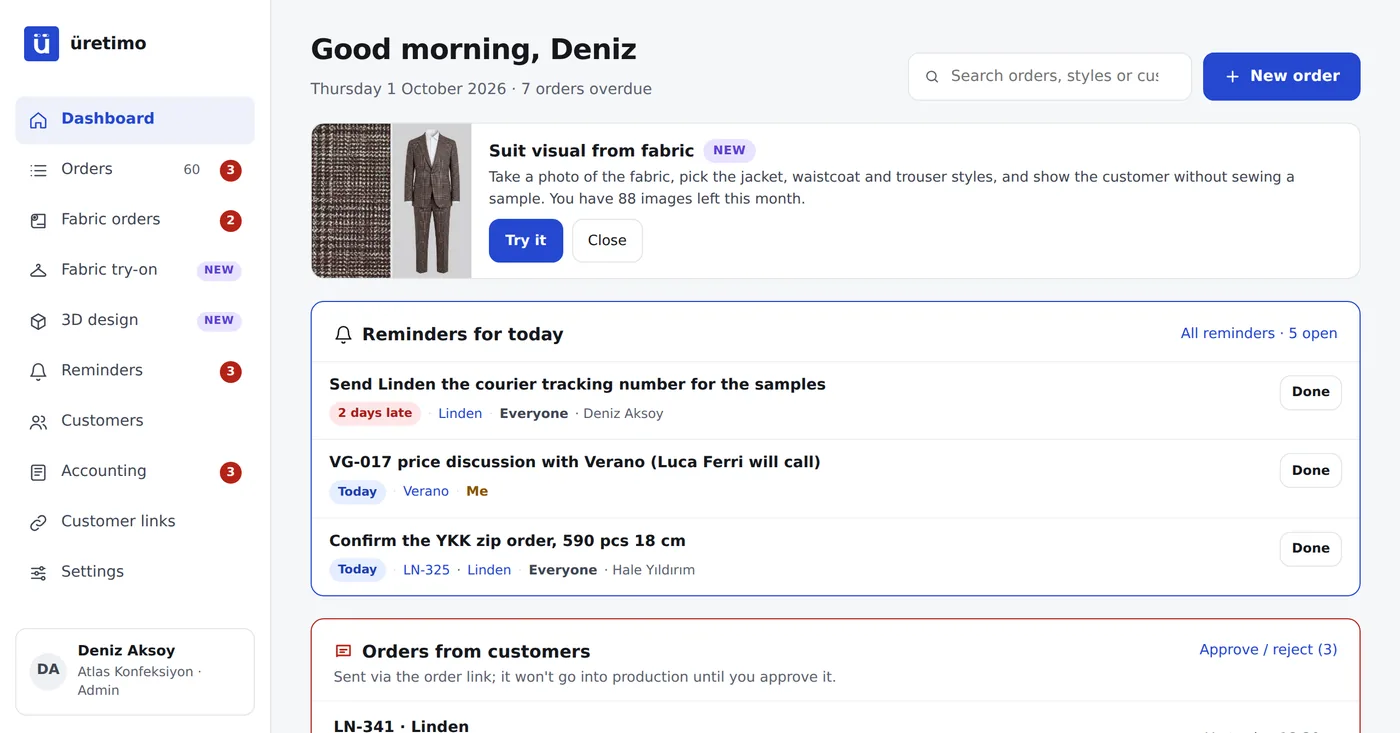
If you forget, the system reminds you.
- An email 7 days before the due date listing the orders that are still not finished. If an order is entered with a due date less than 7 days away, the email goes straight away.
- An email reminder on days 1, 8 and 15 of a delay.
- Reminders: tasks like “send the sample tracking number” or “confirm the zips” are linked to a person and a date, and turn red when overdue.
- Emails go to the company’s Admin and Office users.
The reason for every delay is on record.
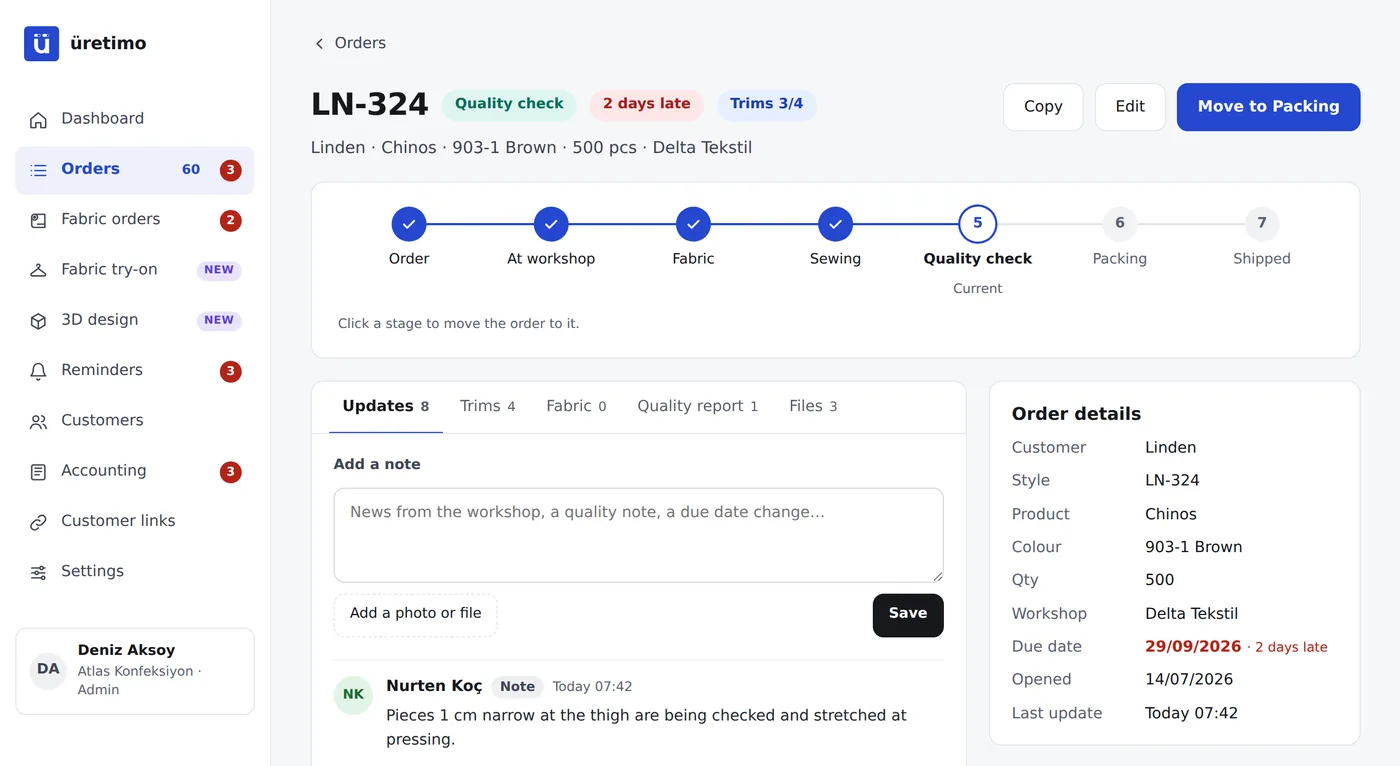
The fabric arrived late, a measurement was corrected, the workshop switched to another job: every note and stage change stays in the order history with name and time. When you explain to the customer, you use records, not guesses, and you can see which workshop keeps running late.
Frequently asked questions
What happens if the due date changes?
Edit the order and enter the new due date; who changed it and when is written to the order history. The dashboard and alerts are recalculated from the new date.
Where do the alerts go?
By email, to the company’s Admin and Office users: 7 days before the due date (straight away if an order is entered with a due date less than 7 days away) and on days 1, 8 and 15 of a delay. There is also a reminders box in the app.
Does the customer see the delay?
Only if you have turned on a tracking link for them. The link shows the due date and any delay, and you can add an explanation for the customer next to it. Without a link, the customer sees nothing.
Do notifications come through WhatsApp?
Not for now; notifications arrive by email. Because “What is the status of my order?” messages move to the list, traffic in your chat groups drops anyway.
Can’t I track due dates in Excel?
You can, and our downloadable template is made for exactly that. But Excel is updated by one person, and the real status at the workshop only reaches them by phone.
No due date surprises this week.
Sign up and choose your plan; your account opens as soon as payment is confirmed. If you like, we import your Excel list together during setup. You invite your workshops afterwards.